booleansplit.com

photos, tips, tricks, and thoughts from an avid amateur photographer


Posts tagged 50mm f/1.7 SMC-A

(f)light reading

(f)light reading

Pentax K10D, Pentax-A SMC 50mm f/1.7 (manual focus), ISO 640 (auto), f/1.7, 1/100 sec, +/-0 EV, IS: ON (converted to b/w and toned in Adobe Lightroom)

Snapped on my way back from Milwaukee Friday. I’m going to start posting more of my Flickr photos here in an effort to make it easier for those of you who follow my blog to follow my pictures as well. I’m planning on posting the large version of my photos but would appreciate feedback on that decision. Please feel free to post any questions about my photos in the comments here or on Flickr (photo links back to Flickr page).

What’s in my bag?

what's in my bag?

Jump over to my Flickr page for a detailed listing of what’s in this photo.

DIY super macro DSLR lens

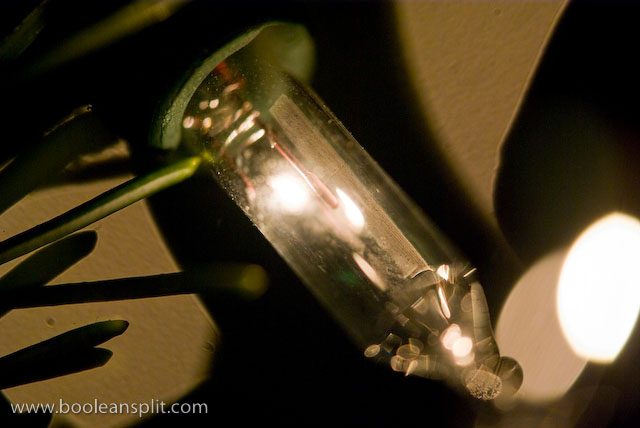
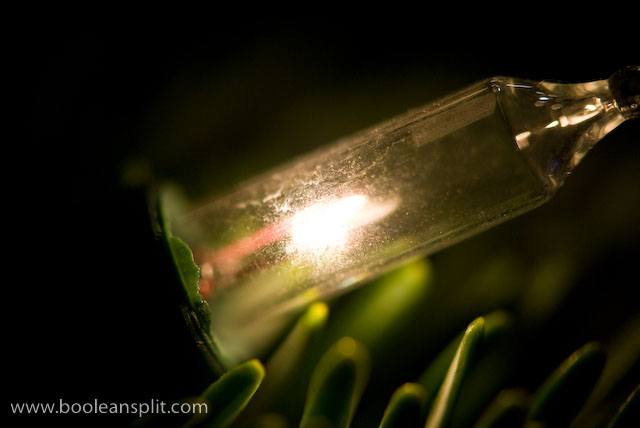
Christmas light super close-up

I got this idea from my Flickr friend Jim. I’ve played with this idea in the past but didn’t have the right combination of lenses to really make it work. Seems the kit lens on my Pentax K10D and my 20 year old Pentax-A 50mm f/1.7 make a pretty super duper super macro lens.

The trick is to shoot through a second lens, thus dramatically shortening the minimum focus distance of the combined lenses. This works best with a medium focal length primary lens (attached to the camera) and a fast secondary lens held (typically backwards) in front of the primary lens.
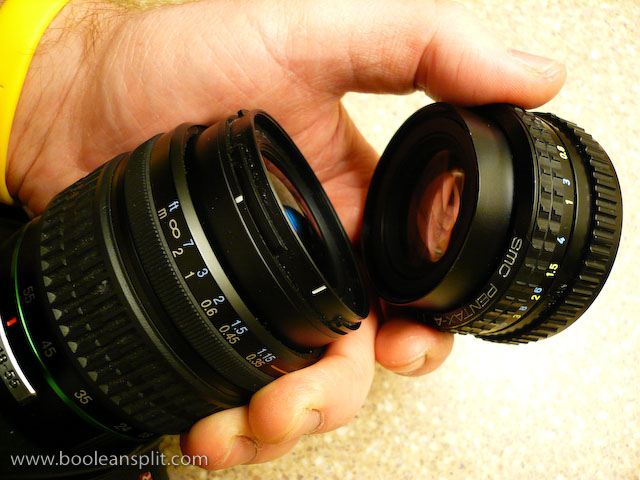
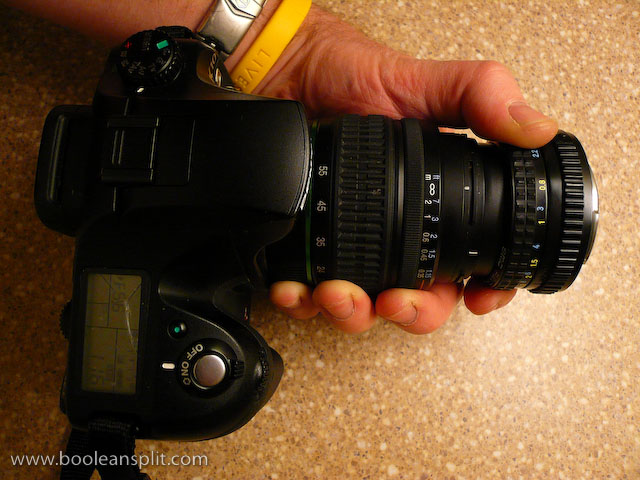
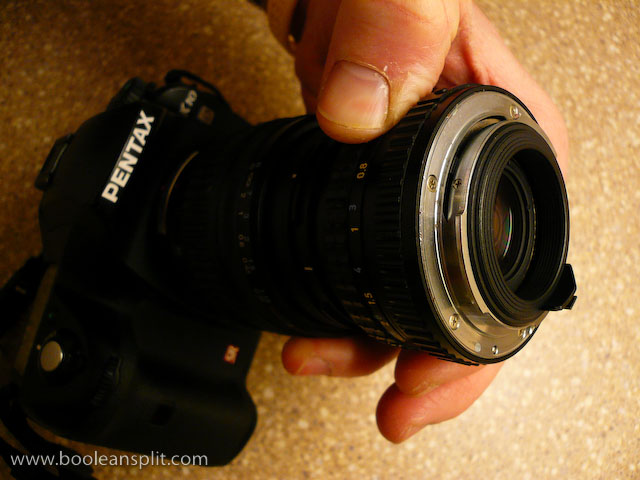
super macro lens assembly

Pentax 18-55mm kit lens with 50mm f/1.7 on front

business end

In this case, the 49mm diameter front element on the 50mm fits perfectly inside the 52mm diameter of the 18-55mm Pentax kit lens. I found that I had to zoom the kit lens all the way out to 55mm to eliminate vignetting. I tried reversing the set-up but the 18-55’s  smaller maximum aperture resulted in vignetting at all focal lengths (hence the need for a fast secondary lens). For the shot above I simply switched the camera into manual focus, dialed in a handful of positive exposure compensation and got up close on a bulb on our Christmas tree:
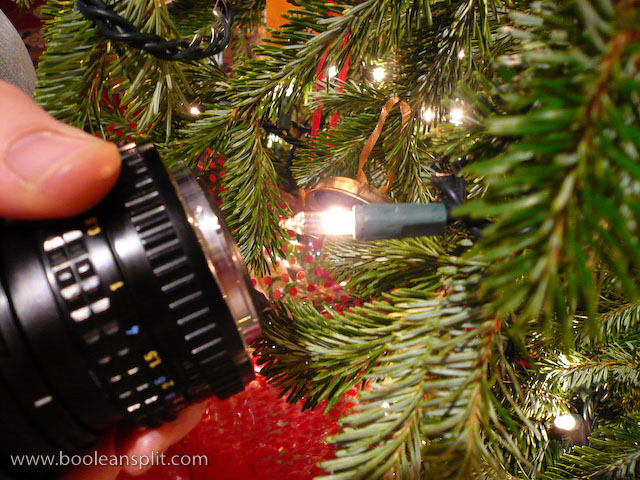
taking the shot

Depth of field is essentially non-existent- as is typically the case with all macro lenses. Changing the focus of ether lens had very little effect on the focal distance to the subject. To achieve focus you have to simply move the camera back and forth while composing through the viewfinder. The problem is that with such a micro thin slice of DOF any movement will throw off your composition. I ended up dialing up the ISO to 800 so that I could get a decently fast shutter speed (around 1/100 sec) and taking a bunch of hand held shots to get a couple of winners. Use of a tripod would have certainly helped, though holding the secondary lens in position while composing the shot on a tripod might be tricky.

A couple of additional shots taken with this set-up:
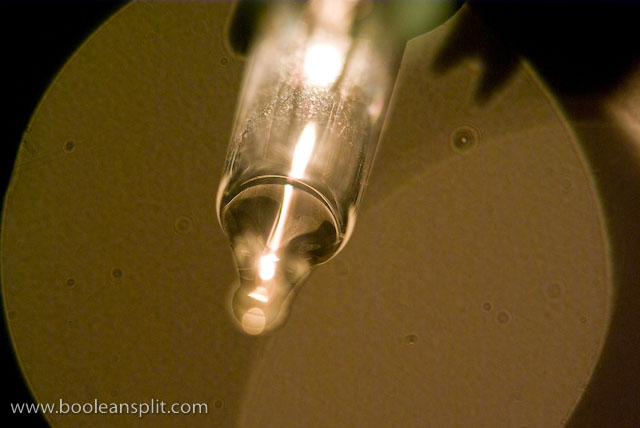
imgp6272

ISO 800, 50mm, f/5.6, 1/250sec

My understanding is that you can get similar results by simply reverse mounting certain types of lenses. There are accessories available to do this. Also, I think you may be able to use a threaded step-up adapter ring to attach the two lenses like in my set-up. The $20 screw-on close-up lens adapters (the kind that look like filters) IMO are pretty worthless unless you buy very nice quality ones but you might as well put that cash towards a dedicated macro lens.

The most popular macro accessories (besides a dedicated macro lens, of course) are extension tubes. Again, the price of entry here comes close to a decent dedicated macro lens (or zoom lens with macro capibility). There are cheaper alternatives and quality is less important if you are OK with losing auto focus and communication with your lens. I got some very nice results with my old Canon 5D and 85mm f/1.8 + 12mm Canon extension tube:

Keep in mind that all of these options will limit your focus distance to macro applications. A dedicated macro lens typically will be able to focus to infinity, making it usable as a regular lens in addition to a macro. However, if you have a couple of the right kind of lenses laying around and you want to take some close-up shots, now you know how. Thanks, Jim!

UPDATE:

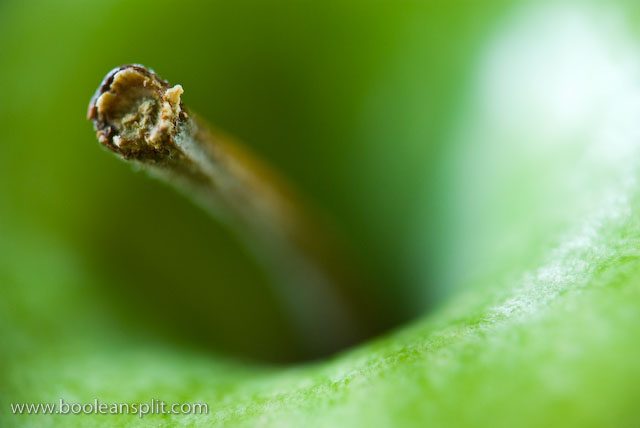
Playing around a bit more with this set-up and I got these shots:
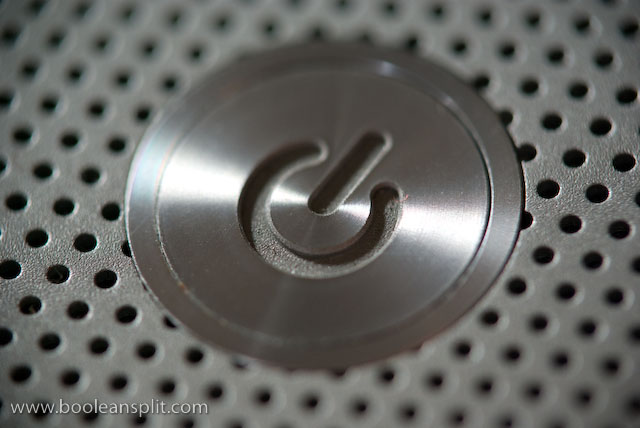
MacBook Pro power button

granny smith apple stem

It also occurred to me that one of the reasons my set-up works so well is that my old manual focus 50mm lens has an aperture ring. This means I can crank it open to f/1.7 to get a clear shot through. More modern lenses often lack an aperture ring and default to the smallest aperture when removed from the camera body. If this happens to you, look for the aperture lever on the inside face of the lens and try sliding the aperture open to get a clear view through your secondary lens.

The world through my eyes

The World through my eyes

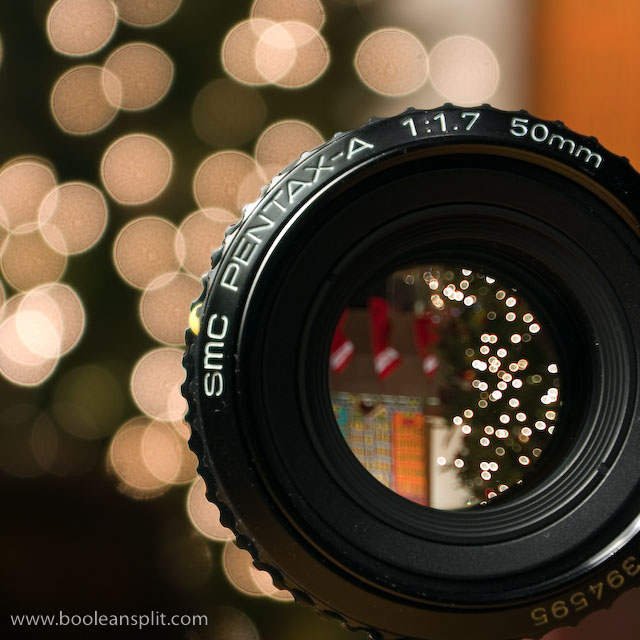
Following my experiment with shooting the Christmas tree lights reflecting in the front lens element of my 50mm f/1.7 I had the thought that it might be interesting to turn the lens around and see what things looked like through the lens. Again, this was in the interest of trying to find new ways to shoot Christmas tree bokeh (though, the old ways still work pretty well).

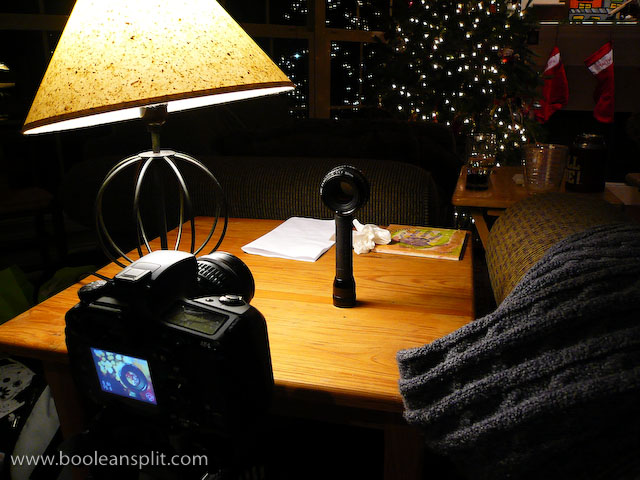
The set-up for this shot was pretty basic:

set-up shot

The 50mm lens is perched on top of a flashlight to get it up to the right height with the Pentax K10D on a tripod. The lamp to the left provides fill light for the front of the lens. I used the rule of thirds to frame the shot (knowing that I was going to crop to square later to eliminate the flashlight). I set the ISO to 100, zoomed to 55mm and selected an aperture of f/5.6 (the largest aperture my kit lens can achieve at 55mm). I dialed in the focus on the front of the lens manually before tripping the 0.6 second shutter with the 2 second delay self timer.

Post processing in Lightroom was limited to cropping, white balance (tungsten) and my usual mix of standard processing tweaks for this camera:

  • Clarity: 39
  • Vibrance: +25
  • Sharpening: 48
  • Detail: 49
  • Defringe: All Edges

Everything else was left at the Lightroom defaults.

The main thing to take away from this photo is that it doesn’t take much effort to do this kind of stuff. From start to finish this shot took me less than 5 minutes (including taking several test shots and set-up shots for this post with a 2nd camera). The only set-up required was balancing the lens on the end of the flashlight and tilting the lamp shade a touch to get the light right.

Vacant school building photo shoot

Wallace Center hallway

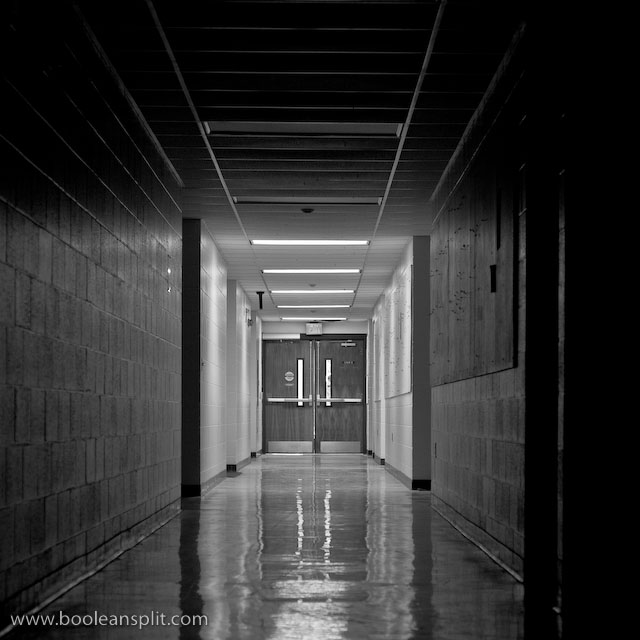
I had to make a run to the recycling center today and decided to stop by Wallace Center (the building on Auburn University’s campus that houses the Industrial and Graphic Design programs). I thought the place might be deserted on a Saturday during Christmas break. I was right and got some very cool photos with my Pentax K10D and Pentax-A 50mm f/1.7 SMC lens. Lucky thing I always have my camera handy!

The photo above was shot hand-held at ISO 400, f/4.0 at 1/25 second. The K10D’s in-body IS helped ensure a sharp shot. I later processed the image as black and white in Adobe Lightroom.

When I first entered the building I came in just on the other side of the doors at the end of this hall and headed up stairs. The motion activated light switches automatically turned on the lights at the end of the hall where I came in. Later, I came down another set of stairs at the opposite end of the building and entered this hallway on my way out. The automatic lights took a second to react to my presence before flooding the entire corridor in fluorescent light. I really liked the way the light at the end of the hall played off the walls and polished floor when half the lights were off, so I found the switch and turned off the lights at this end of the hallway before taking this shot.

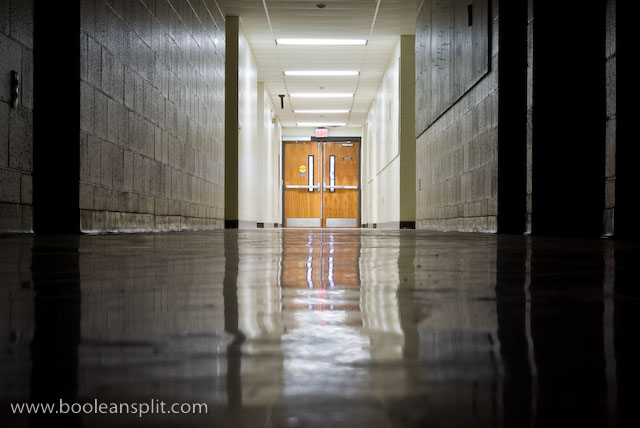
Wallace Center hallway in color

After taking the black and white picture of the hallway, I decided to try a long exposure deep focus shot. Having not brought my tripod I had to improvise and simply set my camera on the floor. I got this shot by simply selecting  f/22 and ISO 100 in Aperture Priority mode and the camera dialed in 10 seconds for the exposure. I used the 2 second self timer to release the shutter without touching the camera. All I did in Lightroom was tweak the white balance and add a little sharpening.

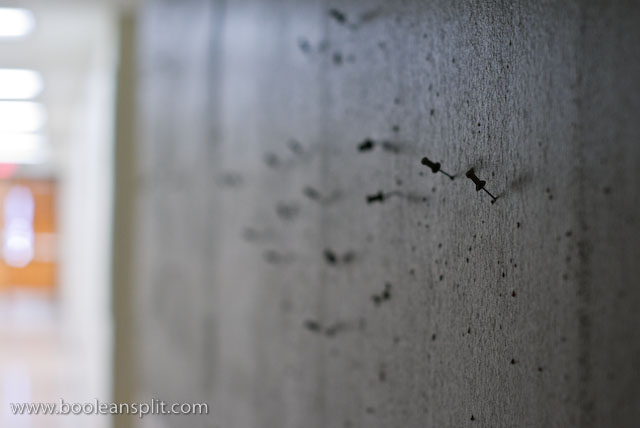
push pins

These push pins adorn the gallery wall used by the Graphic Design program. Normally they are holding up student artwork and photography. Now they patiently await next semester. Hand-held, ISO 400, f/2.8, at 1/15 second. I tried f/1.7 but couldn’t get the focus on the push pin in the dim light of the hallway. Plus, I found the slightly greater DOF of f/2.8 did a better job of keeping the push pins in the distance recognizable.

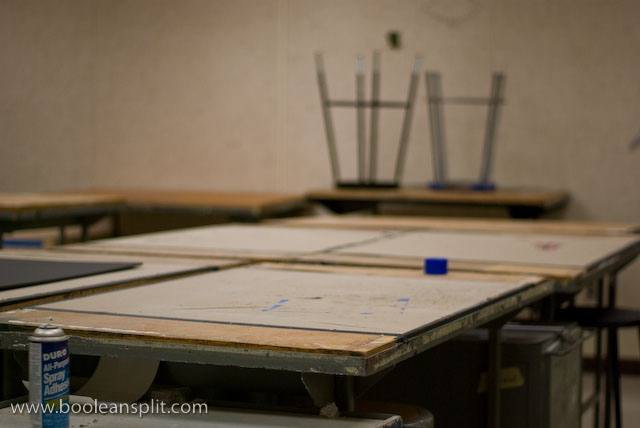
empty studio

This is the studio where I have spent the last 3 1/2 months. It’s a lot cleaner and quieter than it has been. I love the feeling of the vignetting this lens produces wide open. Hand-held, ISO 400, f/1.7, at 1/500 second.

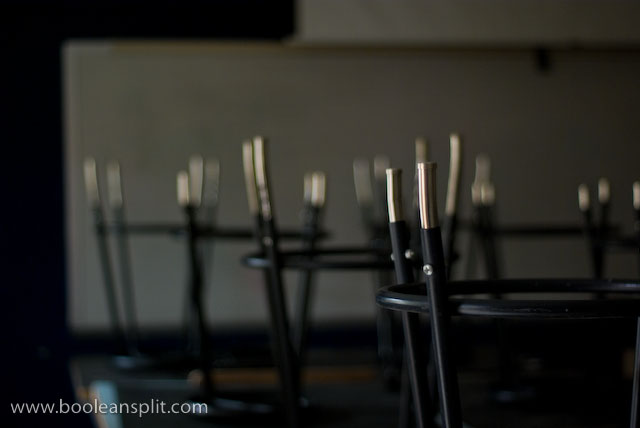
stools

One of the 3rd year studios. All the stools where upside down on the desks and the light filtering in through the windows facing the hallway was mesmerizing. I shot this hand-held at ISO 400, f/1.7 and 1/8 second. 1/8 second is starting to push the envelope of what the built-in IS can do on the Pentax. I could have bumped up the ISO but instead I just braced myself up against a wall and controlled my breathing. It took a few tries but I got a number of clear shots with some wonderful bokeh.

I love taking pictures in vacant and deserted buildings. I always find myself wondering what stories the things left behind could tell. Of course, it’s also pretty easy to creep one’s self out…

About

I'm an industrial designer and an avid hobbyist photographer. People are always asking me "how'd you do that?" So, I decided to create this site as a place to share my experiences and insights about photography, the gear and what it all means to me. I'm not sure if this site will make anyone besides myself a better photographer but I figure it's worth a try. Take a look around and let me know what you think. Thanks for stopping by!

Subscribe

Recent Posts

Categories

Pages

Flickr Friends

Links

My Sites

Archives